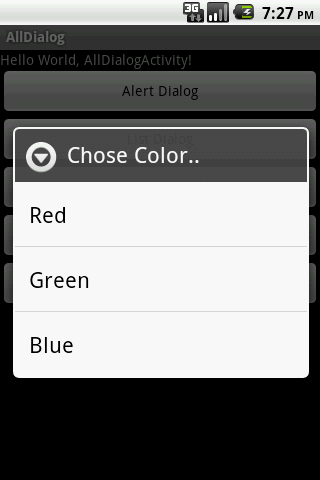
ListView :
- A view that shows items in a vertically scrolling list. The items come from the ListAdapter associated with this view.
- Contains a vertically scrolling, horizontally filled list of View objects, each of which typically contains a row of data; the user can choose an item to perform some action upon.
- In ListView we have set adapter of ArrayAdapter which gathers data from an Array is generally used when there is only a single column data or when the data comes from a resource array.
Download Android ListView :Example Code
Let's see an Example of List View Simply have only one item in each line.as follows. 

First We will create a layout file main.xml as follows:
Than we will Create a java File as follows :
<?xml version="1.0" encoding="utf-8"?>
<LinearLayout xmlns:android="http://schemas.android.com/apk/res/android"
 android:orientation="vertical" android:layout_width="fill_parent"
 android:layout_height="fill_parent">
 <TextView android:text="Select Color"
  android:id="@+id/textView1"
  android:textAppearance="?android:attr/textAppearanceLarge"
  android:layout_width="wrap_content"
  android:layout_height="wrap_content" />
 <ListView android:layout_width="fill_parent"
  android:layout_height="wrap_content"
   android:id="@+id/listView01" />

</LinearLayout>
package com.contnr;

import android.app.Activity;
import android.os.Bundle;
import android.view.View;
import android.widget.AdapterView;
import android.widget.AdapterView.OnItemClickListener;
import android.widget.ArrayAdapter;
import android.widget.ListView;
import android.widget.TextView;
import android.widget.Toast;

public class ListViewContainerActivity extends Activity {
    /** Called when the activity is first created. */
    ListView lv;
    TextView tv;
 @Override
    public void onCreate(Bundle savedInstanceState) {
        super.onCreate(savedInstanceState);
        setContentView(R.layout.main);

        String [] colors= {"Red","Green","Blue","Pink","Gray"};
        lv=(ListView)findViewById(R.id.listView01);
        tv=(TextView)findViewById(R.id.textView1);
        ArrayAdapter<String> adapter=new ArrayAdapter<String>(getApplicationContext(), android.R.layout.simple_list_item_1, colors);
        lv.setAdapter(adapter);

        lv.setOnItemClickListener(new OnItemClickListener() {

   public void onItemClick(AdapterView<?> myAdapter, View view, int myItemId,
     long myLang) {
    // TODO Auto-generated method stub

    String selectedItem=lv.getItemAtPosition(myItemId).toString();
    tv.setText("You Selected: "+ selectedItem);
    Toast.makeText(getApplicationContext(), selectedItem, 2).show();
   }
  });
    }
}
When you click on any of the List Item that displayed in Toast and in TextView also as follows....